
Product tables from your catalog
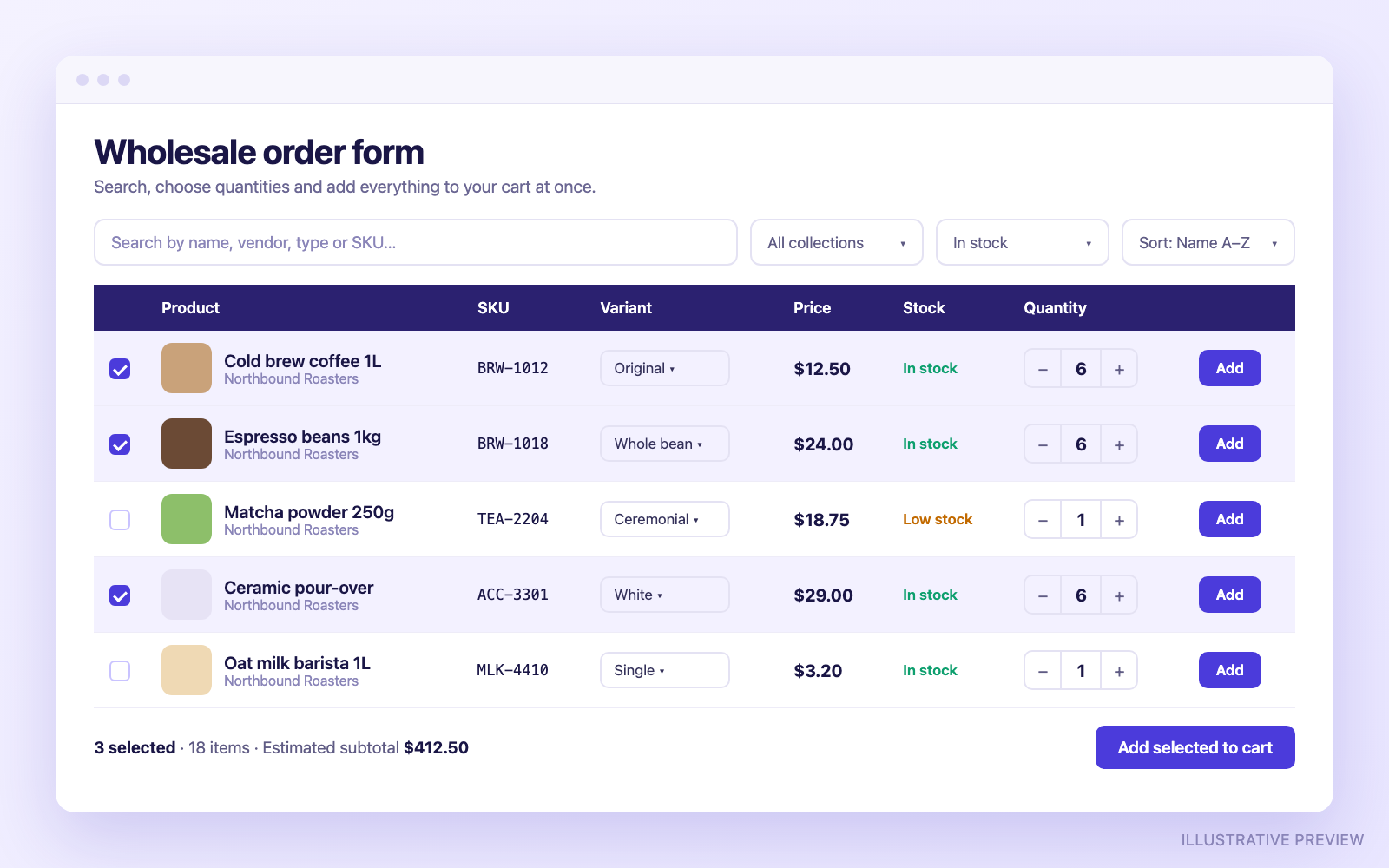
Choose products or whole collections. Show images, names, prices, compare-at prices, stock status, variants, SKU, vendor, type and more.
Smart Product Table lets buyers search, filter and add many products to the cart from one page. Built for stores with large catalogs, repeat orders and wholesale customers.
Demo store password: table
Build a table in the Shopify admin, then place it anywhere in your theme with an app block.
Choose products or whole collections. Show images, names, prices, compare-at prices, stock status, variants, SKU, vendor, type and more.
Buyers search by name, vendor and type and sort the list. Paid plans add SKU search and filters for availability, vendor, type, price and collection.
Tick several rows, set quantities and add them all in one go, with a running item count and estimated subtotal.
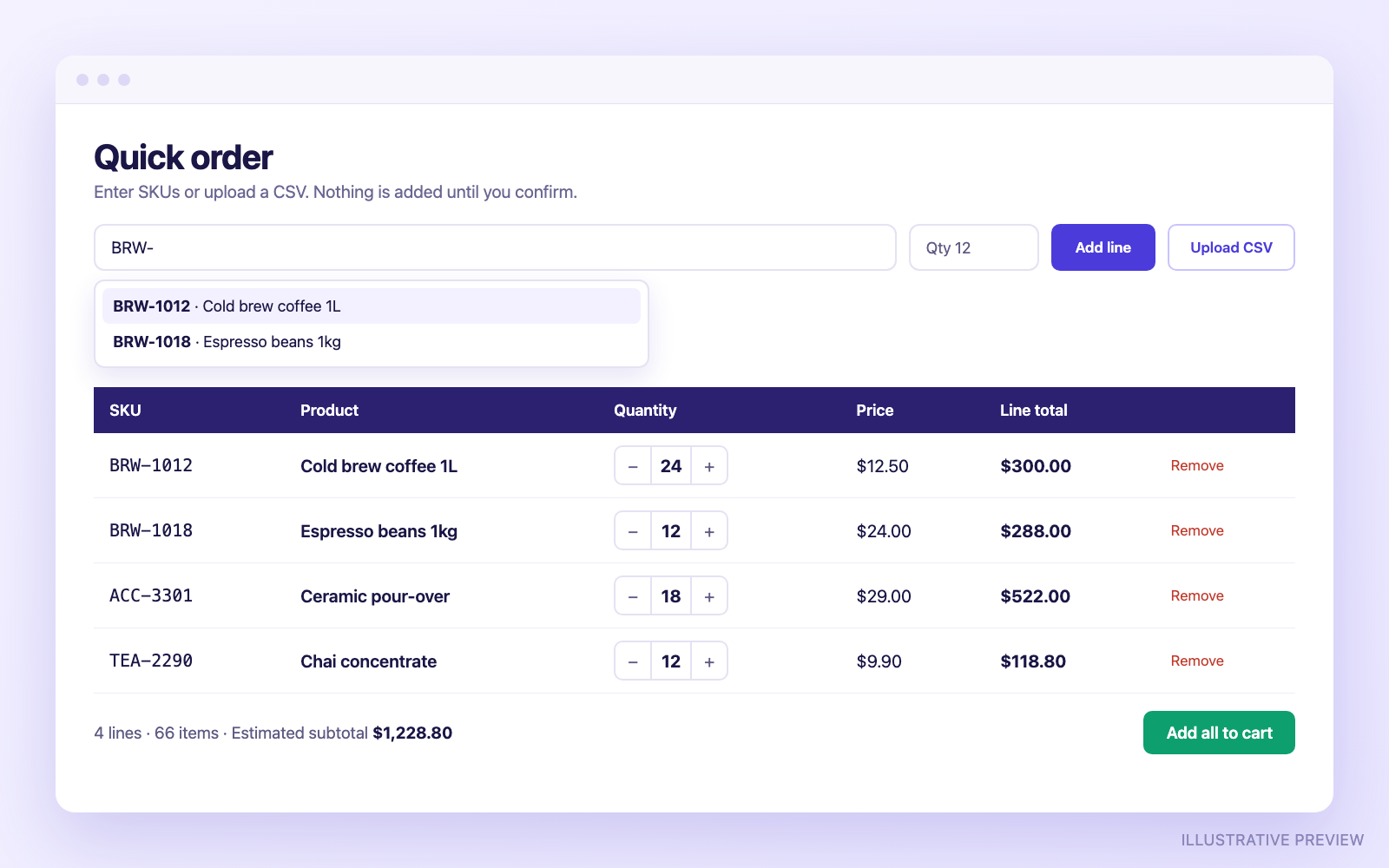
Classic, Compact, Modern, Grid and Mobile list, with a live desktop and mobile preview while you edit.
Reorder, rename and size columns, hide them per device, and adjust colors, typography, spacing, borders and a sticky header.
Tables adapt to phones and tablets, so buyers can browse and order comfortably on any screen size.
Switch presets at any time. Your products and settings stay the same, and every layout uses the same reliable cart.
The Free plan includes Classic. Pro and Business include all five.
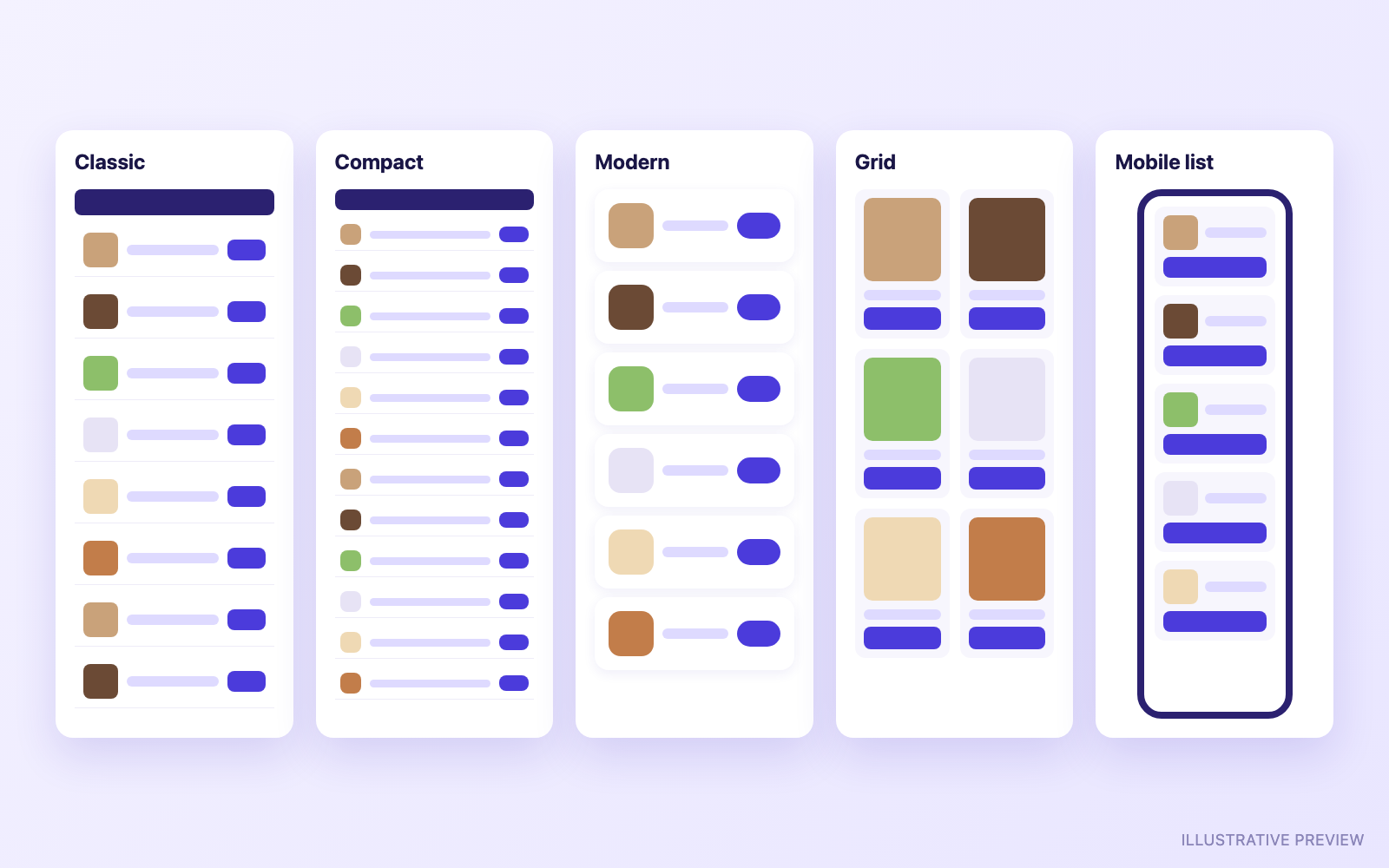
A clear, familiar table with a header row.
Tighter rows to fit more products on screen.
Soft, card-like rows with more breathing room.
Product tiles for image-led catalogs.
A stacked list designed for small screens.
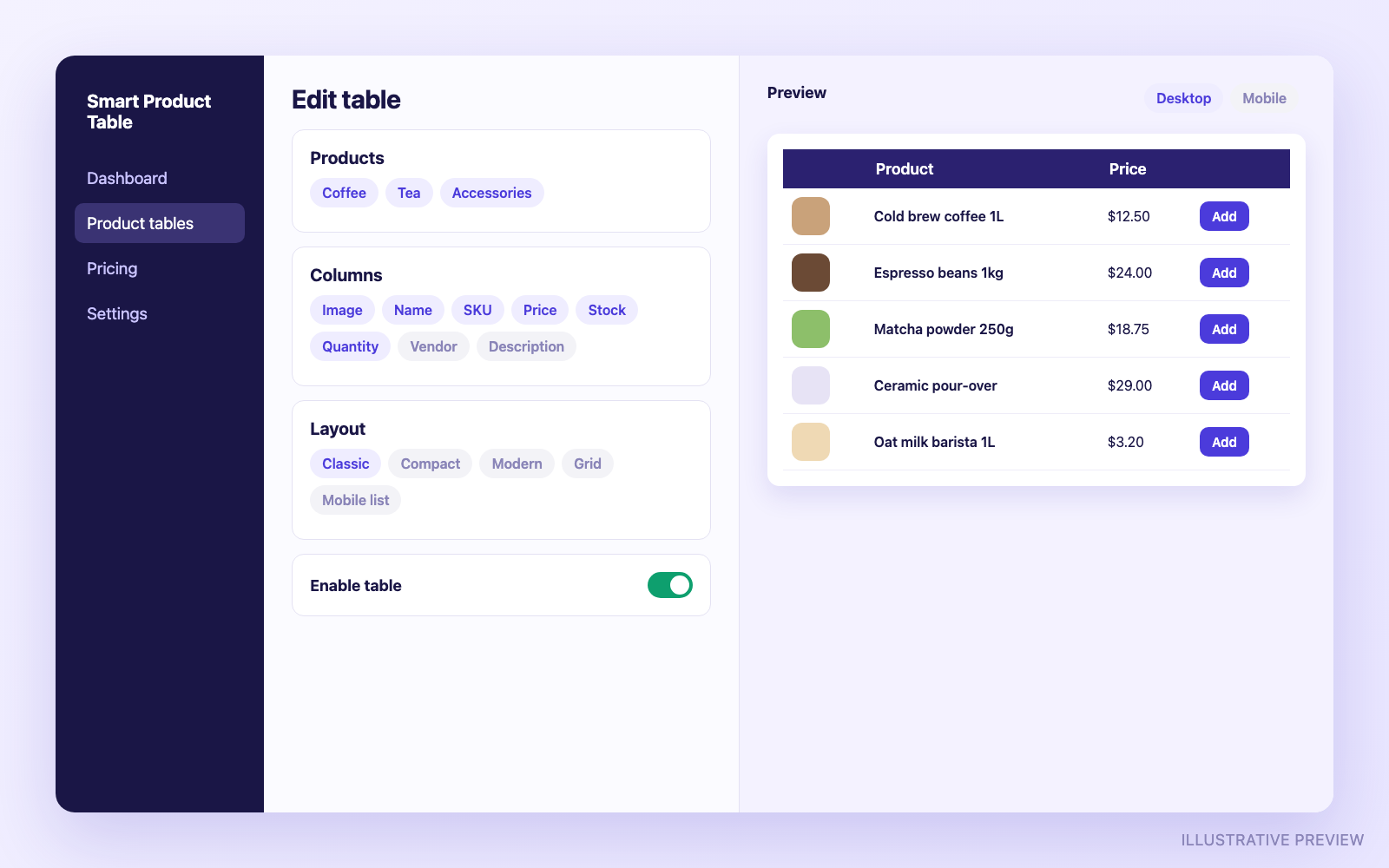
Quantity rules and minimums are enforced inside the table. They don't change your cart or checkout.
Add Smart Product Table to your Shopify store. You start on the Free plan.
Pick products or collections, choose columns and a layout, preview it, then activate the table and copy its Table ID.
In the theme editor, add the Smart Product Table block to any page, paste the Table ID and save.
Start free. Upgrade or downgrade any time from the app. Charges appear on your Shopify invoice.
$0
One product table with no product limit.
$6.99/month
Unlimited tables, layouts, styling, filters and bulk ordering.
$12.99/month
Everything in Pro, plus wholesale ordering tools.
| Feature | Free | Pro | Business |
|---|---|---|---|
| Active product tables | 1 | Unlimited | Unlimited |
| Products per table | No plan limit | No plan limit | No plan limit |
| Responsive storefront | Included | Included | Included |
| Search by name, vendor and type, and sorting | Included | Included | Included |
| Basic product columns | Included | Included | Included |
| Quantity and individual Add to Cart | Included | Included | Included |
| Page navigation | Next and Previous | Numbered pages, Load More | Numbered pages, Load More |
| Layouts | Classic | All 5 | All 5 |
| Advanced column management | — | Included | Included |
| Custom table styling | — | Included | Included |
| Advanced filters | — | Included | Included |
| SKU search | — | Included | Included |
| Bulk Add to Cart | — | Included | Included |
| Minimum, maximum and increment rules | — | — | Included |
| Order minimums | — | — | Included |
| SKU Quick Order | — | — | Included |
| CSV bulk ordering | — | — | Included |
| Logged-in customer visibility | — | — | Included |
Prices are in US dollars. Paid plans are billed monthly by Shopify. Taxes may apply.
Smart Product Table is added through a theme app block, so it works with Online Store 2.0 themes that support app blocks. You don't need to edit any theme code. You can adjust the table's colors, typography and spacing in the app to match your store.
No. The table adds items to your store's normal Shopify cart, and checkout is untouched. Quantity rules and order minimums are enforced inside the table only, so buyers can still change quantities later in the cart.
Yes. The Free plan includes one active table. Pro and Business include unlimited active tables, and each app block in your theme can show a different table.
On the Business plan you can show a table only to customers who are signed in to your store. Visitors who aren't signed in see a prompt to sign in instead. This is checked on our server before any table data is sent.
Not yet. Company-specific B2B pricing can't be shown in the table, so B2B buyers see links to the product pages and Quick Order is hidden for them. Shopify's own B2B quantity rules are always respected.
Your store's domain and access token, your table settings, a copy of the product details your tables need (such as titles, SKUs and availability), and your plan status. We don't store information about your customers. See the privacy policy for details.
Your tables are never deleted when you change plans. After a downgrade, paid features switch off and tables beyond your plan's limit stop loading until you upgrade again. If you uninstall, your tables are kept for 48 hours in case you reinstall, and then all of your store's data is erased.
Email support@shapekode.com. We usually reply within 1–2 business days. The support guide covers setup and common fixes.
We're happy to help you decide whether Smart Product Table fits your store.